Member Engagement: 10 Creative Ideas to Excite Your Community
Boost member engagement in your Tradewing community with 10 actionable strategies, from…
October 6, 2026
Choosing a community management platform used to be mostly about the community itself. Can members connect? Can they start discussions? Can staff manage the experience?
Those questions still matter. But for trade and professional associations, they’re no longer the only ones worth asking.
Community increasingly sits alongside learning, events, resources, communications, sponsorship opportunities, and member data. The platform you choose can either add another destination to that mix or help those experiences work better together.
That’s why we believe community technology should be evaluated as part of a broader Engagement Infrastructure: the foundation that connects the experiences and engagement signals that support membership.
In this buyer’s guide, we’ll look at what trade and professional associations should consider when evaluating a community management platform, from the core capabilities to the bigger questions about member experience, technology, and long-term engagement.
We’ll cover:
Every association is unique, which means that the right tool for one may not be for another. To address as many common concerns as possible, we’ll break down core platform elements and why they matter. But first, let’s discuss exactly what a community management platform is.
A community management platform gives associations a dedicated digital environment where members can connect, exchange knowledge, participate in discussions, discover resources, and build relationships with one another.
While many platforms include familiar social features such as activity feeds, groups, profiles, directories, and direct messaging, the strongest platforms connect those interactions with other parts of the member experience, including events, learning, resources, and communications.
Members join associations for more than access to information. They come to build relationships, learn from others in their field, exchange expertise, and participate in experiences that help them grow professionally. A community management platform gives associations a dedicated environment where those interactions can continue throughout the year.
Some associations use familiar social platforms like Facebook or LinkedIn to support these conversations. While those channels can be useful for outreach and broader industry engagement, a dedicated community platform gives associations greater control over the member experience and creates opportunities to connect your community with the rest of your membership base.
Key advantages include:
Social media still has an important role to play. Rather than relying on it as the home of your member community, use it to extend your reach and market the value of membership. For example, you might share a useful article, event, or resource on LinkedIn or Facebook to give prospective members a glimpse of what your association offers, then invite them to explore the deeper connections, knowledge, and experiences available through membership.
A dedicated community management platform gives those experiences a place to grow beyond that first interaction. And when your community connects with learning, events, resources, and engagement data, it becomes part of a broader Engagement Infrastructure that supports member value throughout the year.
Community management platforms are created for a range of audiences, and as such, there are also a range of features to be aware of. For trade and professional associations, we recommend looking for platforms with the following tools:
Community is the foundation of the platform. Members should be able to start discussions, share knowledge, ask questions, connect with peers, and participate in smaller groups built around shared interests, roles, chapters, or topics.
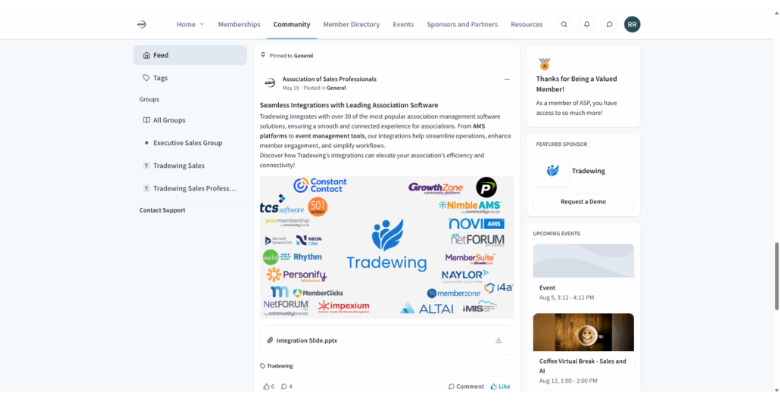
When assessing this feature, look for:
While every association might have different priorities for its community engagement software, the community platform component is the defining feature of these tools. As such, finding one that fits your needs should be one of your top considerations.

Virtual events are designed to create connections among an association’s members, so it makes sense to host them in the same place where your community already gathers online.
Events can create some of an association’s strongest moments of engagement. A community platform can help extend that value by connecting the live event to what happens before and after it.
Rather than evaluating video conferencing or virtual events as an isolated feature, consider how the platform supports the complete event experience:
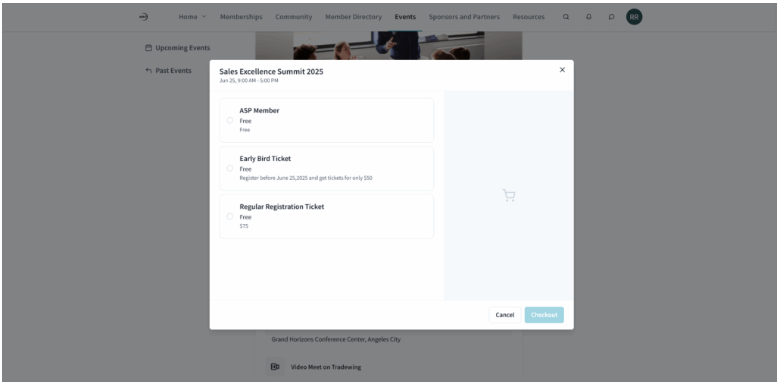
Additionally, consider how the video component of your community management software works with the rest of your platform. Your members should be able to easily access your webinars and live video conferences from the same platform they use to connect. When events, community discussions, resources, and other member experiences are connected, it becomes easier for members to continue conversations, find relevant knowledge, and build relationships after an event ends.
Community engagement platforms provide your association and fellow members with access to your member directory. A useful member directory helps turn membership into a network. Members should be able to discover people with relevant experience, roles, organizations, locations, or shared interests and connect with them directly.
When it comes to member directory features, be on the lookout for:
Remember that a member directory differs from a member database. Your directory is a front-facing tool your members can use to aid their networking, whereas a member database is a backend tool with extensive data only for your association’s team.
Joining an association shouldn’t mean sacrificing personal privacy. Empower your members with granular profile controls so they can decide exactly what information to share, and with whom.
For example, here’s what a member would see when editing their profile within Tradewing:
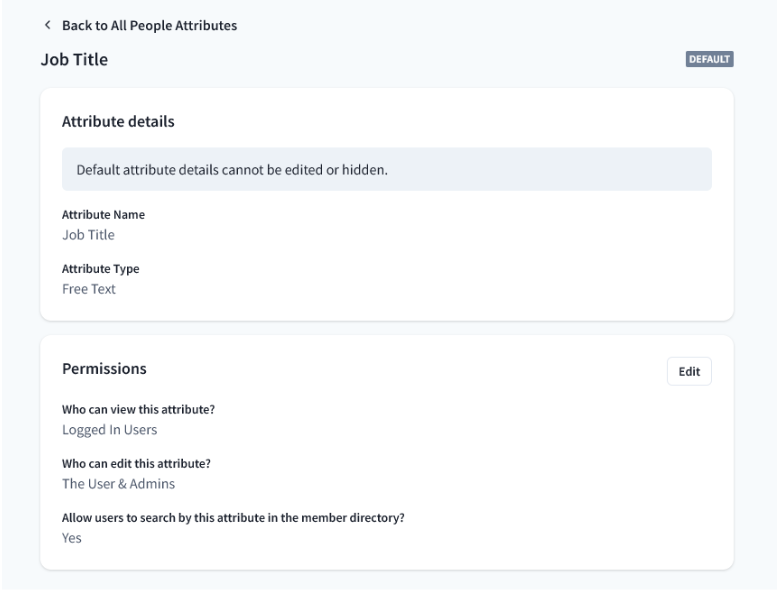
As you can see, members can decide who can view specific profile attributes, whether that’s the general public, logged-in users, all members, or just the user themselves. For example, a member might make their name and place of employment visible to everyone, their email address visible to members, and their home address only visible to themselves.
This protects your members from unwanted communication, including harassment and spam. Ensure your community management software offers similar privacy features and also maintains strong security standards to protect against cyberattacks.
Also consider how the platform handles access beyond individual profile fields. Associations may need different permissions for members, nonmembers, staff, chapters, committees, course participants, event attendees, or other groups.
Your community platform is an extension of your website and should include your association’s branding, so the platform you choose should have at least some customization features.
Some software might offer out-of-the-box tools that allow you to customize your branding, messaging templates, and website setup. In contrast, others might require working with a developer to fine-tune the platform to your specifications.
The right level of customization depends less on association size than on your workflows, member experience, internal resources, and technical requirements.
More customization isn’t automatically better. Consider whether the platform can support the experiences that matter to your organization without creating unnecessary implementation and maintenance work for your staff.
In contrast, small and medium-sized associations may value other types of customization, such as customized messaging templates and branding. However, excessive customization abilities can lead to unnecessary stress.
When assessing community management platforms, be aware of what size associations the software primarily caters towards and what specific options are included in their customizable offerings.
Keep members in the loop and encourage them to engage with your community platform through messaging alerts. Look for communication tools that bring members back to relevant conversations, resources, events, and opportunities. These can take the form of email, in-platform notifications, mobile push notifications, announcements, reminders, and automated communications based on member activity.
Look for community management software with automation features to power this strategy. These can be used to remind members about upcoming events, alert them to community announcement posts, share when someone has messaged them, or check in if it’s been a while since they last logged onto your platform.
Also consider whether communications can be targeted to relevant member groups rather than sending every message to everyone.
Ensure your community management platform integrates with association management software (AMS) and any other tools in your tech stack. Doing so ensures data collected by your community management platform, like member engagement rates, is smoothly transferred to your member database and other relevant software.
If you choose solutions without ready-built integrations, you may need to work with a technology consultant to create a custom middleware solution. These can be costly and take time to develop. As such, prioritize vendors that offer a pre-existing integration with your current software when possible.
Your AMS may remain the system of record while your engagement platform becomes the environment where members participate. What matters is whether data can move reliably between systems and whether staff can understand member engagement without piecing together reports from multiple disconnected tools.
Professional development is one of the reasons many people join associations, and learning often becomes more valuable when members can discuss and apply what they’re learning with peers.
If education is part of your member value proposition, consider whether your community platform can connect with courses, continuing education, certification programs, learning resources, and peer discussion.
The goal isn’t simply to put an LMS beside a community. Look for ways learning can continue into discussion, networking, mentoring, events, and real-world applications.
Associations often have years of useful knowledge spread across webinars, articles, discussions, documents, courses, and other resources. The challenge is helping members find the right information when they need it.
Look for tools that let your organization centralize and organize resources while making them easy for members to search and discover. As AI-powered knowledge tools become more common, also consider whether answers are grounded in trusted association content and whether your organization controls the sources being used.
When reviewing community management software, create a short list of top candidates by assessing each provider based on:
How much is your association able to spend on technology? Most community management platforms operate on a subscription model, and many have multi-year contracts that lock your organization into a set payment plan, regardless of whether you use their software or not.
While associations should aim to grow and evolve, it’s almost never worth it to invest in an expensive tool that does more than your association needs. Rather, assess your association to understand where your needs currently are and gear your technology to where your association currently is, not where you hope it will be in 10 years.
Consider the total cost of ownership rather than the subscription price alone. Implementation, integrations, customization, staff administration, additional software, and ongoing support can all affect the true cost of a platform.
Association technology is extensive and varied, and your community management platform should fit into your existing technology stack. Outside of community management software, associations might also invest in a combination of these tools:
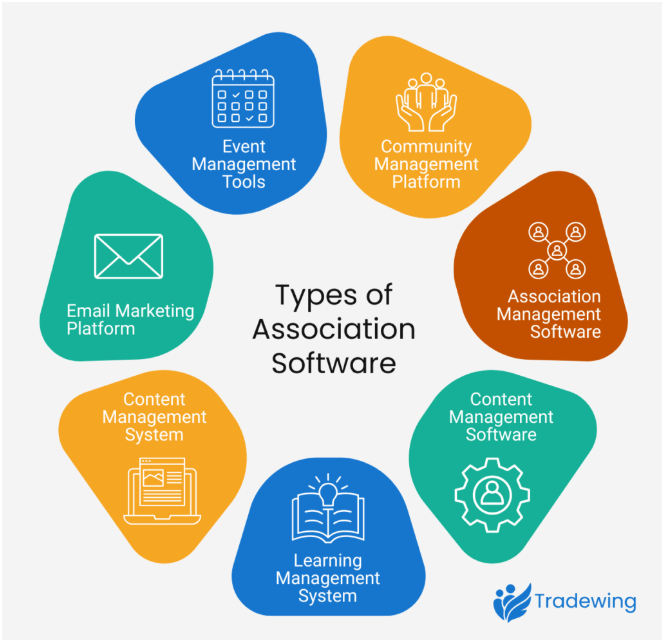
Depending on your specific vendors, some of these tools may contain overlapping features. For example, many AMSs include CRM functionality. Additionally, many AMSs provide some community management software features, though often in a limited capacity.
Assess whether your current technology supports your needs and what a new tool can provide. Then, research integrations to ensure your new software can be easily added to the rest of your software ecosystem.
Last, consider your team’s own technical prowess. If your association lacks an IT team, understand that means you will need to rely on your vendors for training and technical support. Additionally, if you purchase software that requires customization, a middleware application, or further development, you will likely need to work with a technology consultant, which takes time and adds an extra expense to your technology budget.
Third-party review websites are useful resources that allow your association to accomplish two essential things:
Additionally, on vendors’ sites, look for case studies or customer testimonials. While these sources are biased, they provide a window into what each vendor feels they specialize in. For instance, if a vendor’s case studies primarily focus on their virtual event capabilities, you can assume that it is one of their strengths.
Tradewing goes beyond standalone community management by connecting the experiences that keep members participating throughout the year. Community, learning, events, resources, member management, communications, and engagement data come together in one connected platform, giving members a more consistent experience and association teams greater visibility into engagement.
Rather than adding another isolated tool to the association tech stack, Tradewing is designed as Engagement Infrastructure: the layer that connects member experiences and the signals they create.
With Tradewing, your association can:
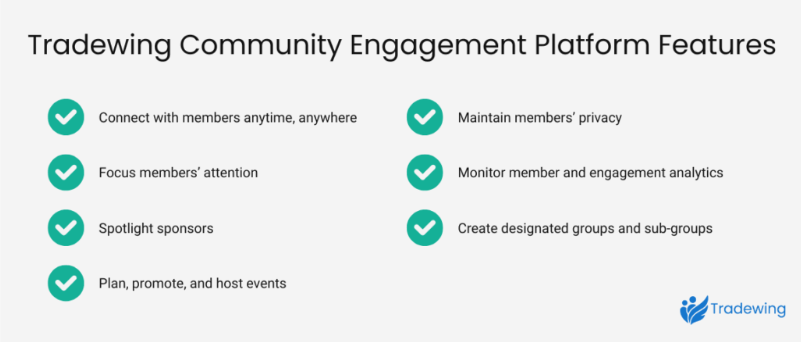
Tradewing brings these experiences together so they can build on one another, while giving association teams a clearer view of member engagement. The result is a more connected member experience without adding unnecessary complexity for staff.
The right community management platform gives members more than a place to post. It creates an environment where relationships, knowledge sharing, learning, events, and other parts of membership can reinforce one another.
As you compare platforms, look beyond the longest feature list. Consider how easily members can participate, how much work the platform creates for staff, how well it connects with the rest of your technology, and whether it helps your association understand engagement across the member journey.
To continue learning about community management, check out these free resources:

Rhona is a Marketing Specialist at Tradewing, creating content and campaigns that help associations strengthen member engagement, simplify communications, and support long-term growth.

Boost member engagement in your Tradewing community with 10 actionable strategies, from…
October 6, 2026
Looking for a platform to power your online community and sell courses?…
October 5, 2026
The association conference isn’t going anywhere. But today’s members increasingly expect ways…
September 4, 2026